---
title: "Blueprints Library • FlowFuse"
description: "Explore FlowFuse Blueprints, choose templates for quick setups, perfect for learning and fast solution-building. Customizable for unique needs. Simplify your Node-RED projects with FlowFuse Blueprints!"
canonical_url: "https://flowfuse.com/blueprints/"
meta:
"og:description": "Explore FlowFuse Blueprints, choose templates for quick setups, perfect for learning and fast solution-building. Customizable for unique needs. Simplify your Node-RED projects with FlowFuse Blueprints!"
"og:title": "Blueprints Library • FlowFuse"
---
> Index of every page on this site: [llms.txt](https://flowfuse.com/llms.txt)
# Blueprint Library
Explore FlowFuse Blueprints, choose templates for quick setups, perfect for learning and fast solution-building. Customizable for unique needs. Simplify your Node-RED projects with FlowFuse Blueprints!
[Submit Your Own](https://flowfuse.com/blueprints/submit/)
- Other [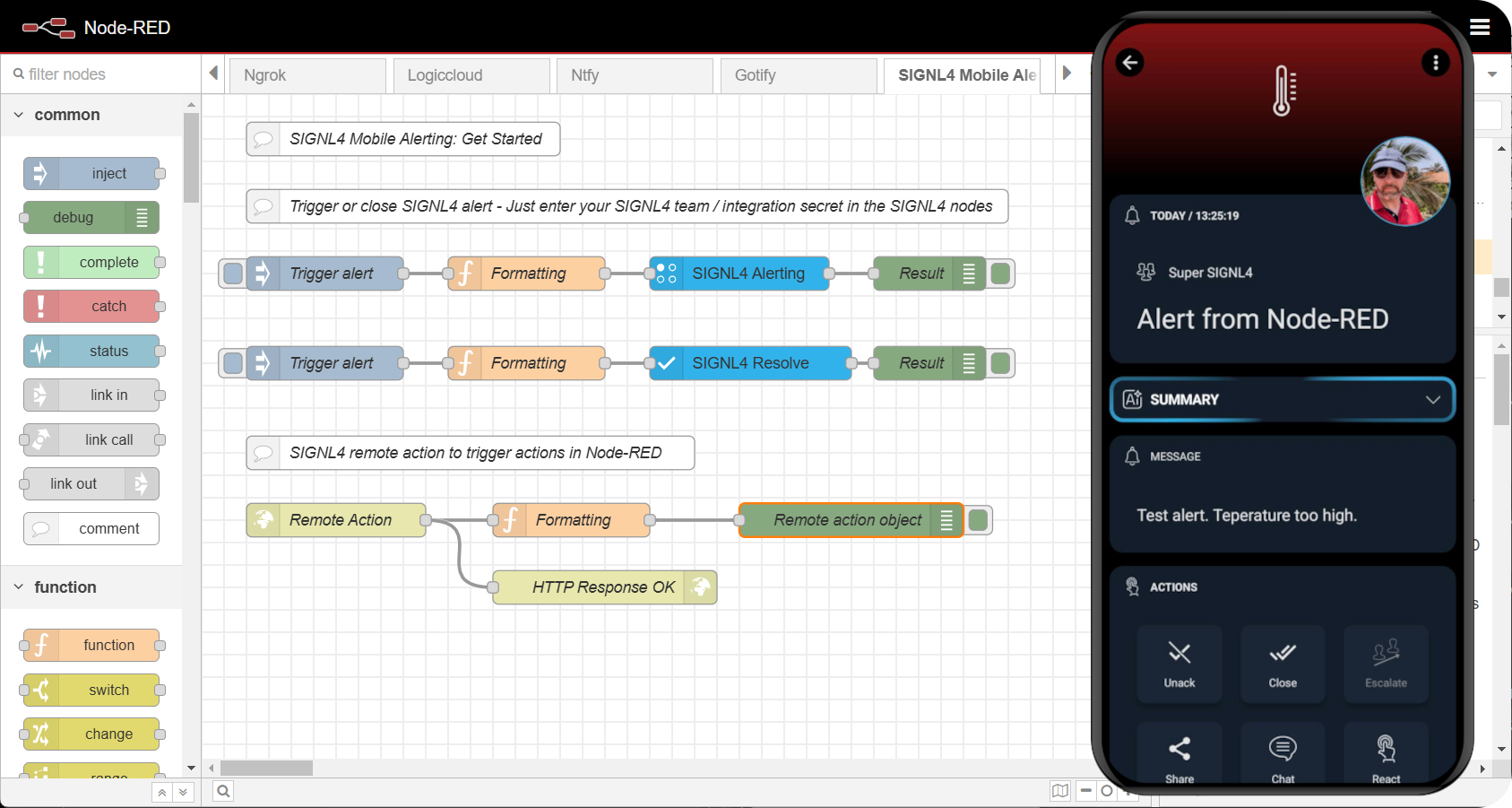**Mobile Alerting with SIGNL4**
Enable real-time mobile alerting in Node-RED with SIGNL4 for instant push, SMS, voice, and email notifications.](https://flowfuse.com/blueprints/other/mobile-alerting/)Author: [SIGNL4](https://www.signl4.com/) [DEPLOY](https://app.flowfuse.com/deploy/blueprint?blueprintId=YB20qrNwlx)
- Manufacturing [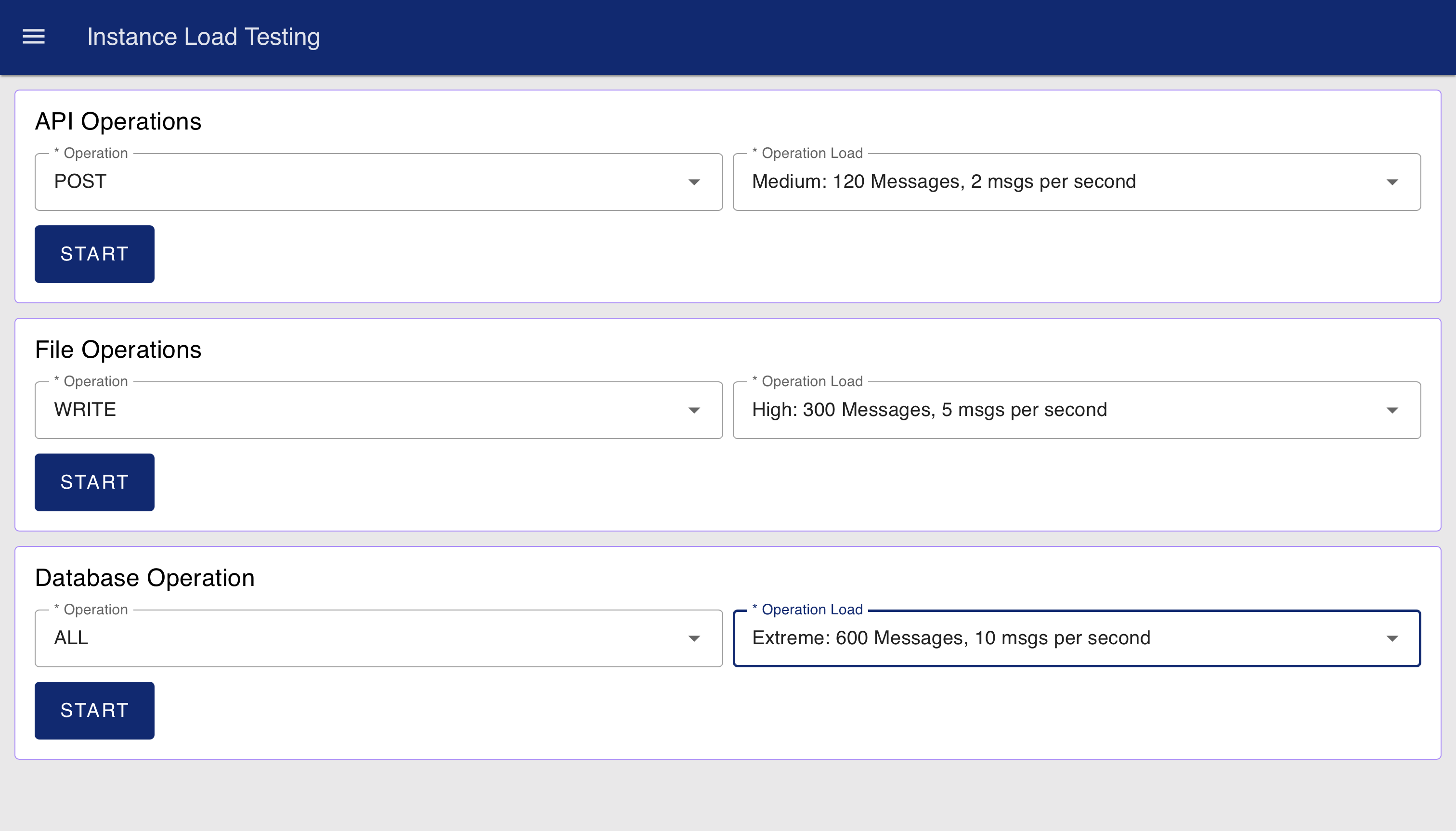**Node-RED Instance Load Testing**
Test your Node-RED instance’s performance with simulated API, database, and file operations under different load levels](https://flowfuse.com/blueprints/other/load-testing/)Author: [FlowFuse](https://flowfuse.com) [DEPLOY](https://app.flowfuse.com/deploy/blueprint?blueprintId=75kmrRm63q)
- ManufacturingMES [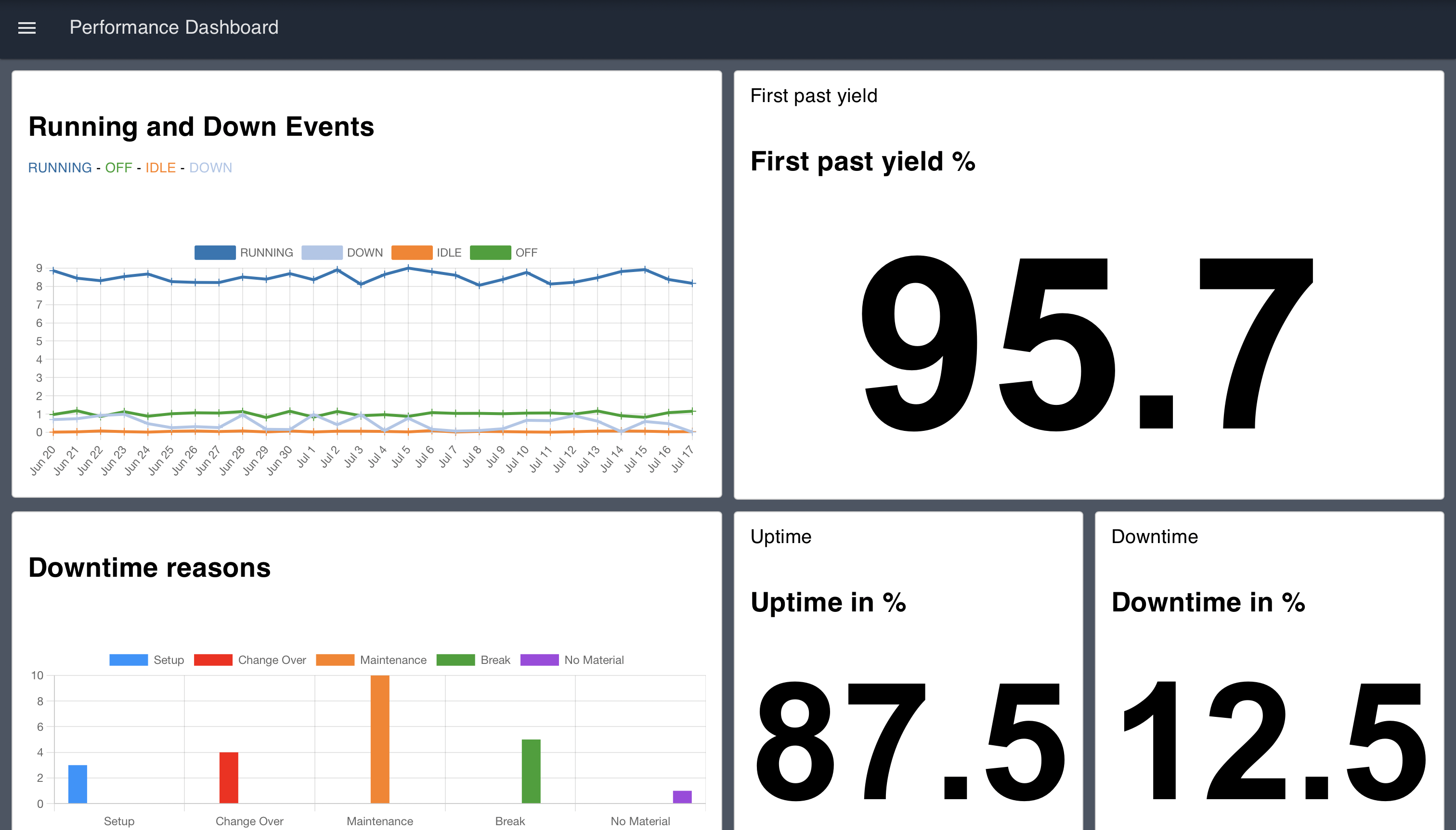**Performance Overview Dashboard**
The Manufacturing Performance Dashboard serves as a centralized view for monitoring and analyzing key performance metrics in real time, providing comprehensive visibility into manufacturing operations for a station or line.](https://flowfuse.com/blueprints/manufacturing/performance-overview/)Author: [FlowFuse](https://flowfuse.com) [DEPLOY](https://app.flowfuse.com/deploy/blueprint?blueprintId=6OyLz4NDwA)
- ManufacturingMESHMI [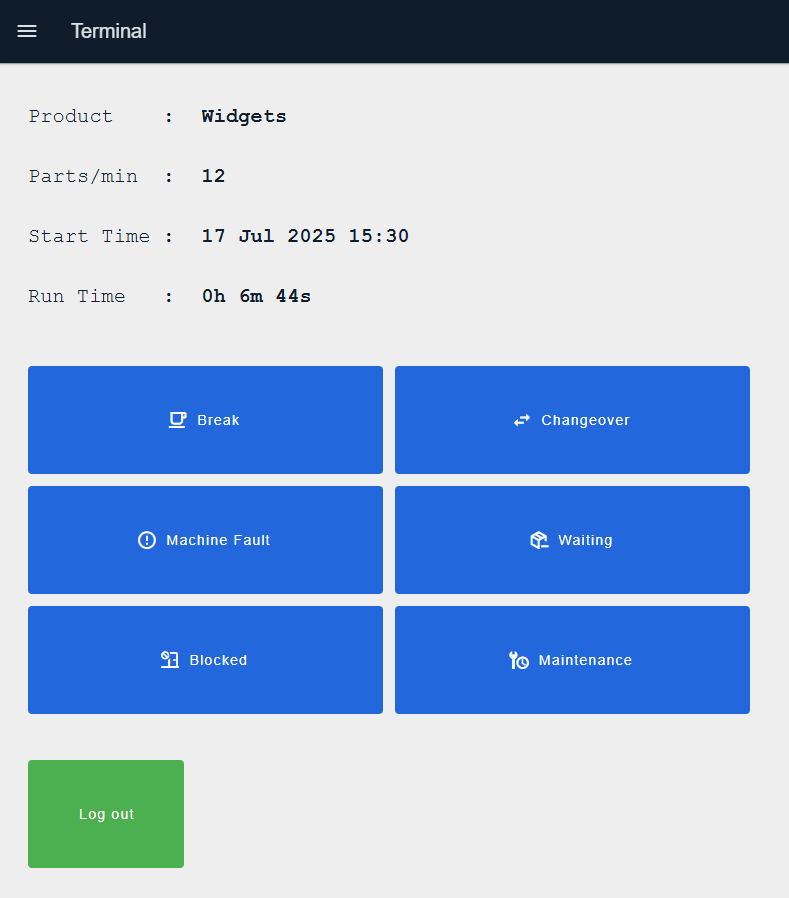**Performance operator terminal**
The Performance operator terminal blueprint allows an end user to track runtime and downtime information of a machine.](https://flowfuse.com/blueprints/manufacturing/performance-operator-terminal/)Author: [FlowFuse](https://flowfuse.com) [DEPLOY](https://app.flowfuse.com/deploy/blueprint?blueprintId=ajpm5nLxyR)
- Manufacturing [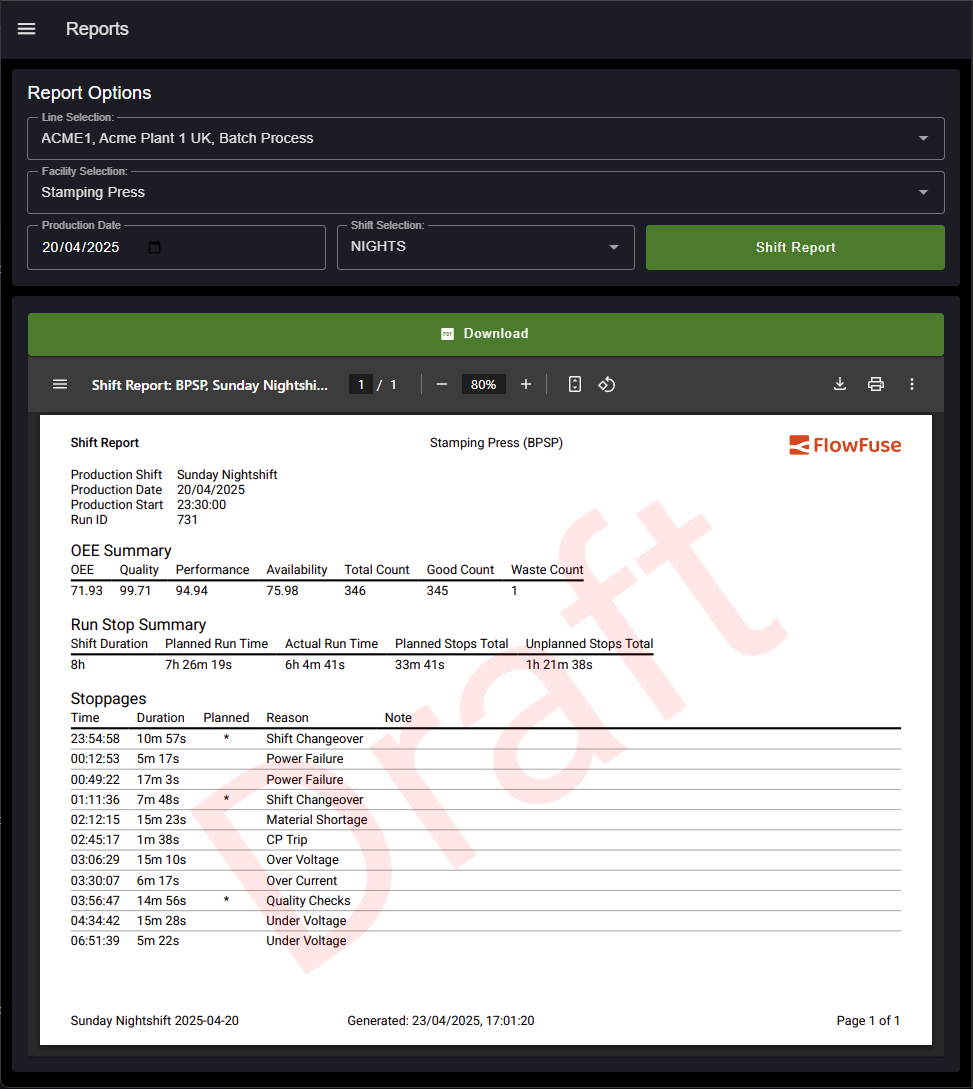**PDF Report Generator**
Build PDF reports from your data.](https://flowfuse.com/blueprints/manufacturing/pdf-report-generator/)Author: [FlowFuse](https://flowfuse.com) [DEPLOY](https://app.flowfuse.com/deploy/blueprint?blueprintId=lwkL6W0nDB)
- ManufacturingMES [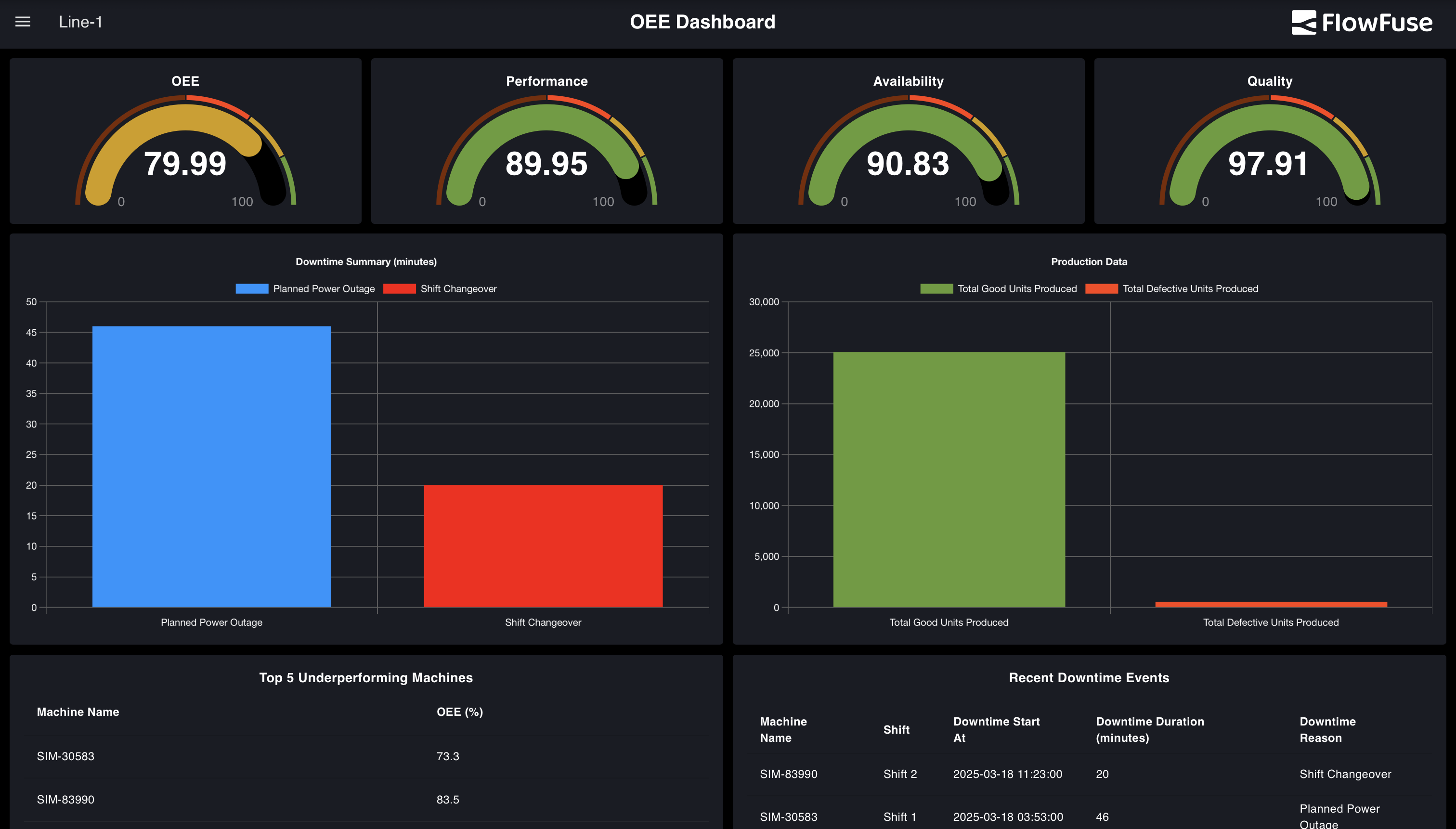**Overall Equipment Effectiveness (OEE) Dashboard**
Monitor manufacturing efficiency with Node-RED OEE dashboard in 2026. Track 3 key metrics: availability, performance, quality. Supports 5+ databases.](https://flowfuse.com/blueprints/manufacturing/oee-dashboard/)Author: [FlowFuse](https://flowfuse.com) [DEPLOY](https://app.flowfuse.com/deploy/blueprint?blueprintId=KoV08ENaBx)
- ManufacturingMESHMI [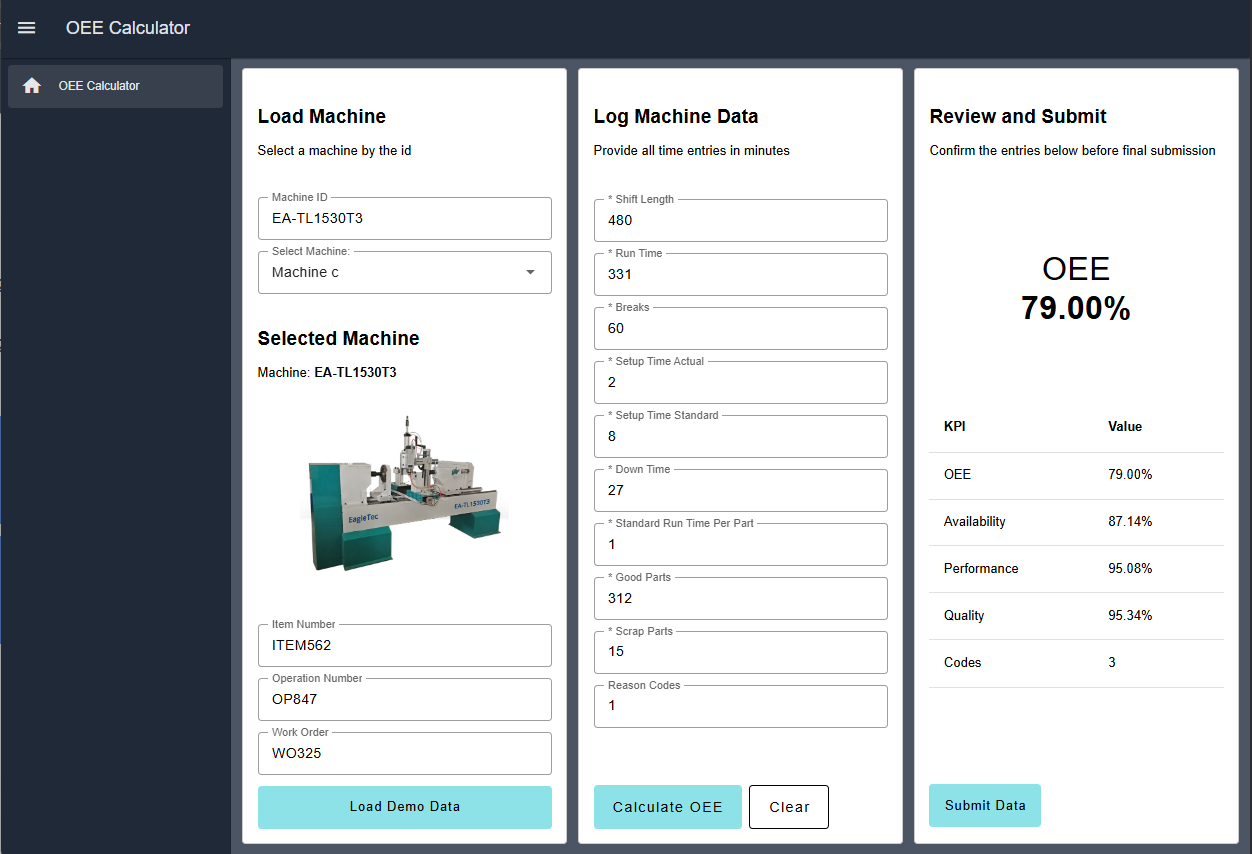**OEE Calculator**
The OEE Calculator blueprint allows an end user to input production information to calculate the Overall Equipment Effectiveness (OEE) for a machine, if no automatic calculation is possible.](https://flowfuse.com/blueprints/manufacturing/oee-calculator/)Author: [FlowFuse](https://flowfuse.com) [DEPLOY](https://app.flowfuse.com/deploy/blueprint?blueprintId=PaRL4JNeBM)
- ManufacturingMES [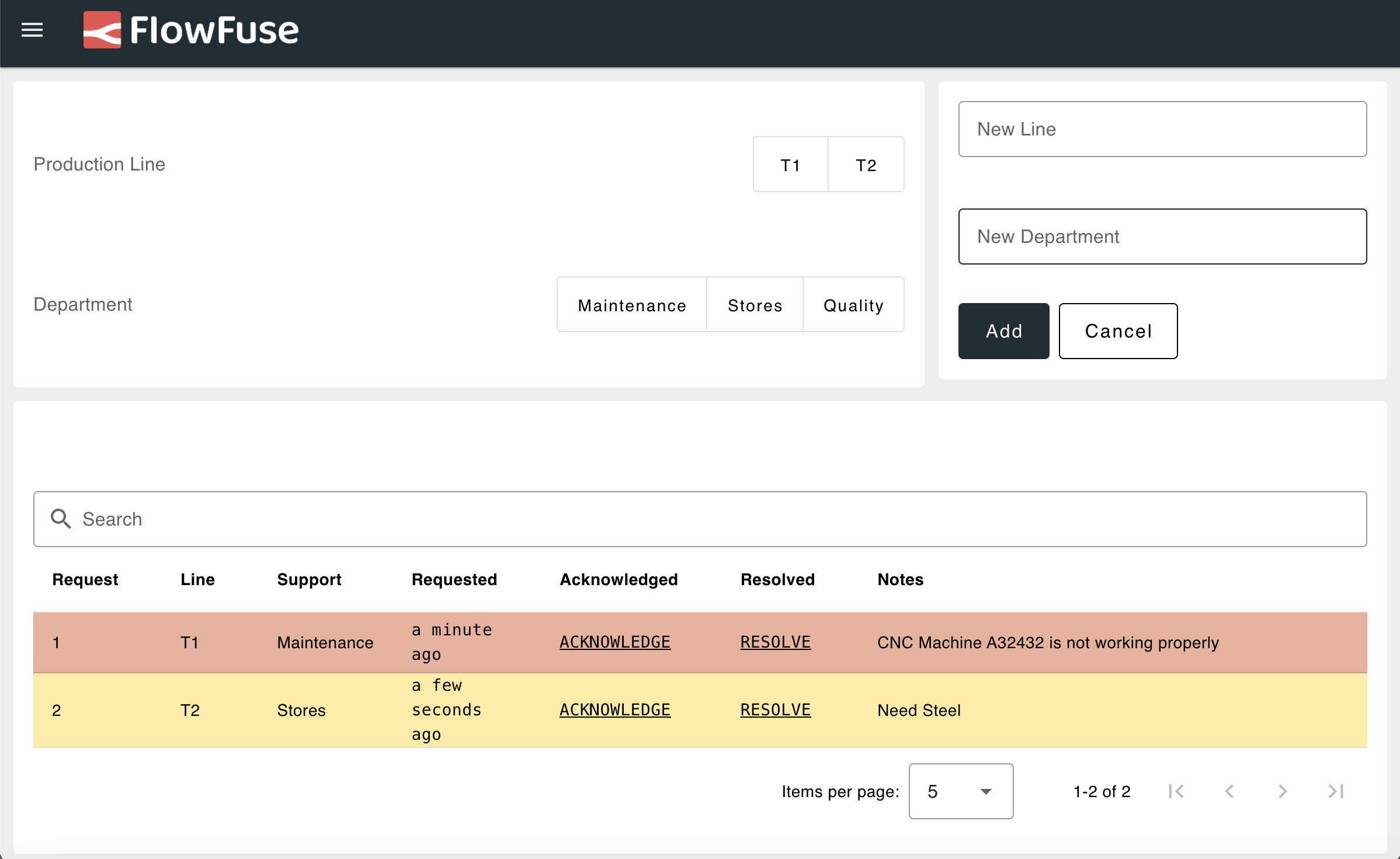**Andon System**
The Andon System Blueprint is a framework for managing and streamlining support requests in manufacturing. It standardizes the process for submitting, tracking, and resolving issues across departments like Maintenance, Quality, Stores, and Logistics.](https://flowfuse.com/blueprints/manufacturing/andon-system/)Author: [FlowFuse](https://flowfuse.com) [DEPLOY](https://app.flowfuse.com/deploy/blueprint?blueprintId=x5pLEb06ed)
- ManufacturingMESHMI [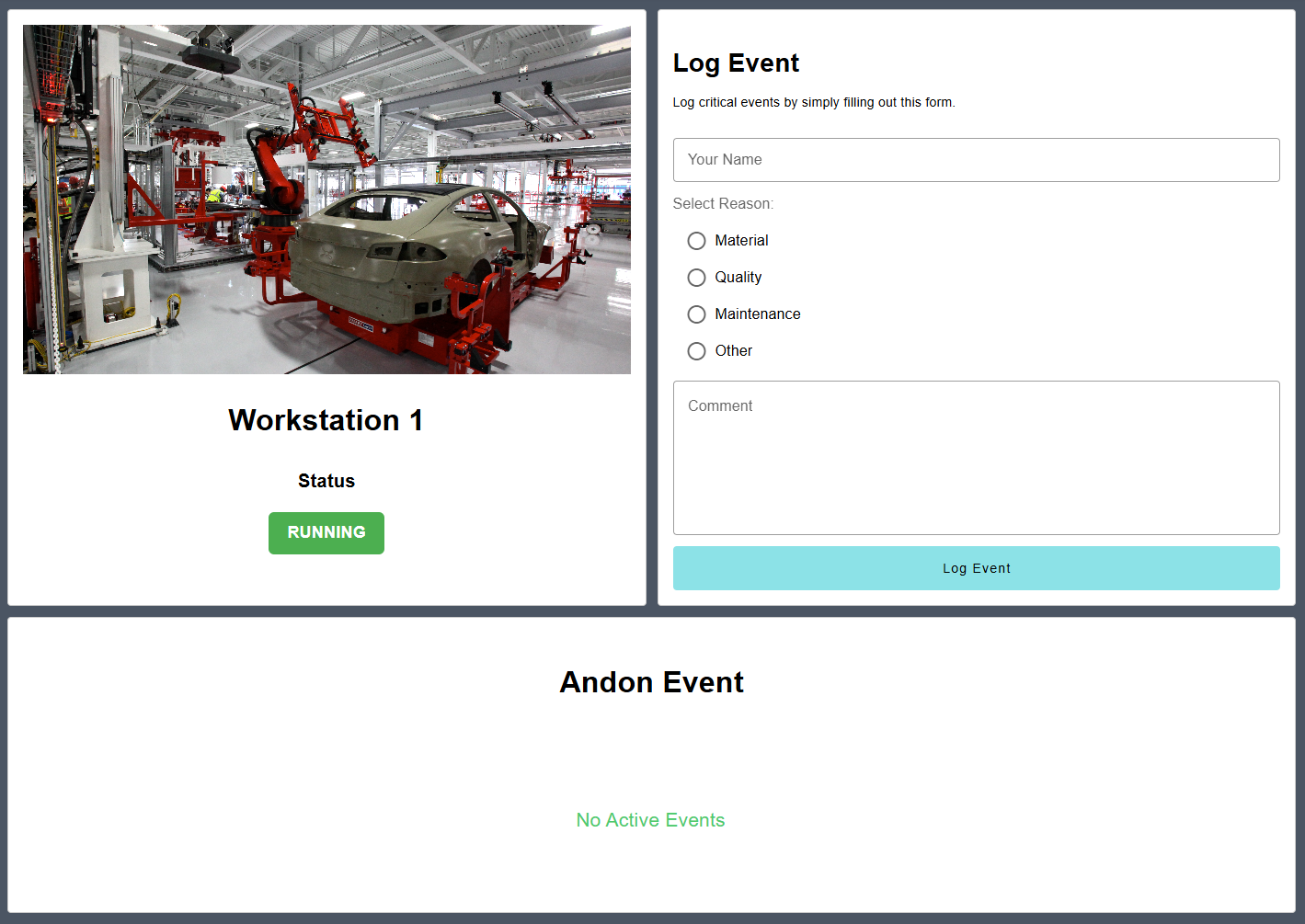**Andon Operator Terminal**
The Andon Operator Terminal is designed to be at the start of an andon process, allowing end-users to report any issues with the cell to the station supervisor.](https://flowfuse.com/blueprints/manufacturing/andon-operator-terminal/)Author: [FlowFuse](https://flowfuse.com) [DEPLOY](https://app.flowfuse.com/deploy/blueprint?blueprintId=e85N3lmyX6)
- ManufacturingMES [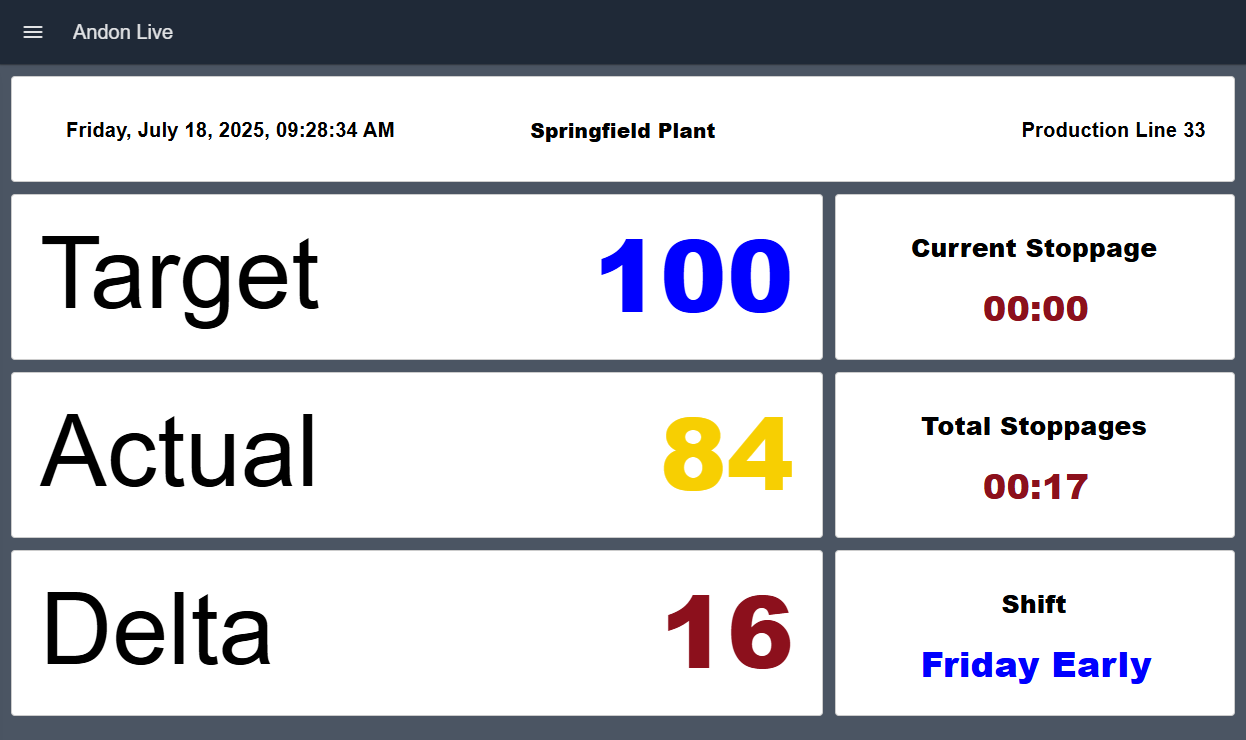**Andon Live Dashboard**
Andon Live serves as both a real-time shift status and an informational board, displaying actual and target quantities along with vital key figures for shift progress visualization.](https://flowfuse.com/blueprints/manufacturing/andon-live/)Author: [FlowFuse](https://flowfuse.com) [DEPLOY](https://app.flowfuse.com/deploy/blueprint?blueprintId=34oNeYNwXG)
- ManufacturingMES [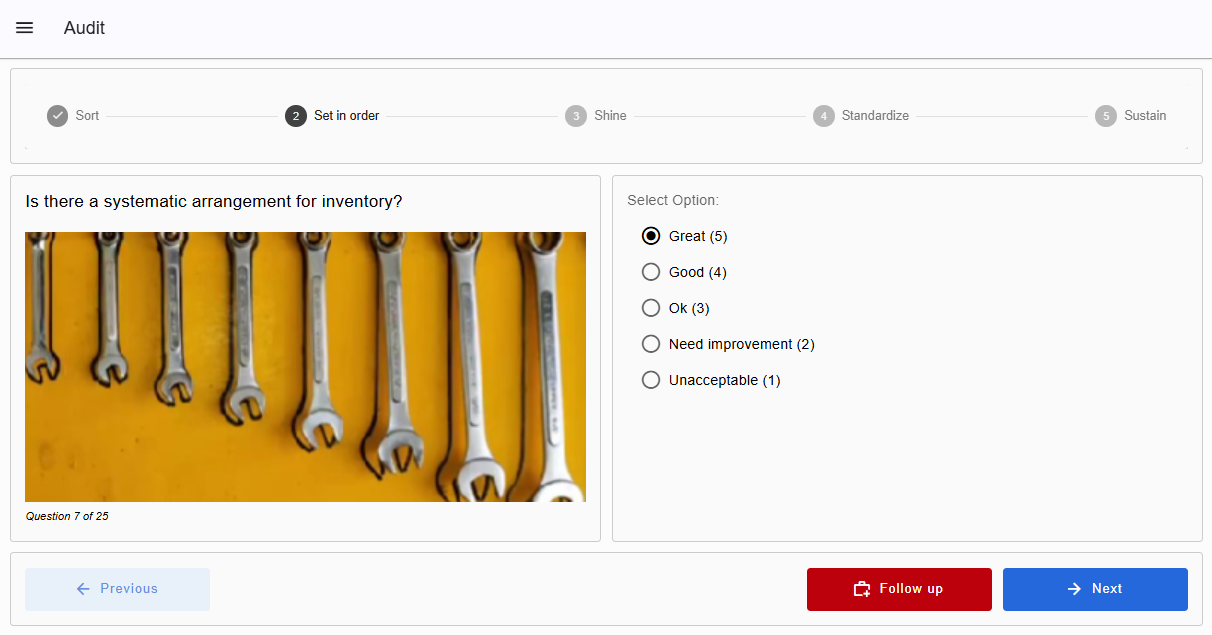**5s checklist**
A ready-to-use 5S Checklist dashboard to run audits, track scores, and follow up actions—fully customizable to fit your operations](https://flowfuse.com/blueprints/manufacturing/5s-checklist/)Author: [FlowFuse](https://flowfuse.com) [DEPLOY](https://app.flowfuse.com/deploy/blueprint?blueprintId=eK9mG6NgEA)
- Other [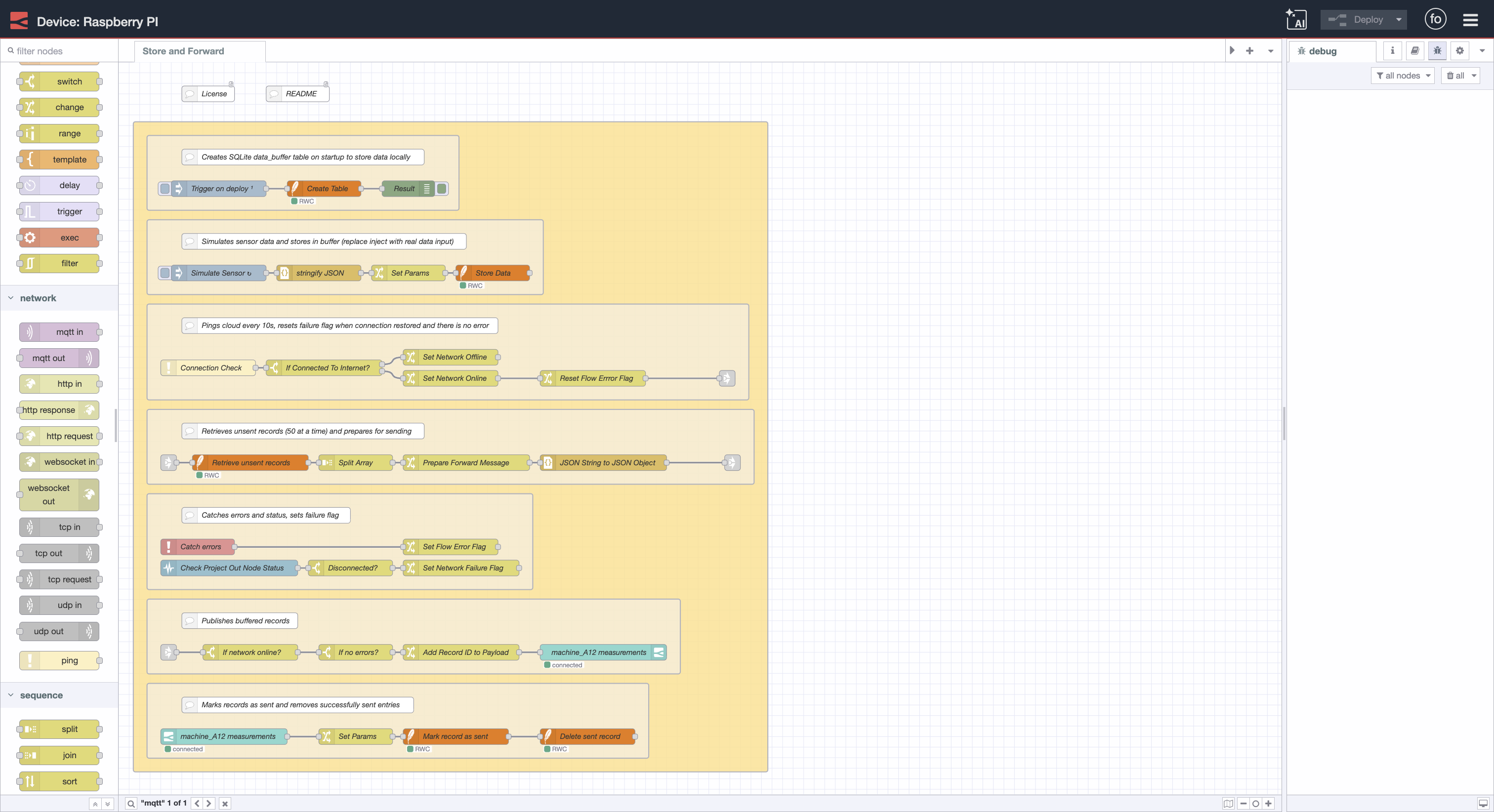**Store and Forward**
Ensure reliable data transmission in Node-RED with local SQLite buffering for handling intermittent network connectivity.](https://flowfuse.com/blueprints/getting-started/store-and-forward/)Author: [FlowFuse](https://flowfuse.com) [DEPLOY](https://app.flowfuse.com/deploy/blueprint?blueprintId=vGVN2wmD6e)
Looking for help with your project? [Contact us](https://flowfuse.com/contact-us/); our experts will be happy to provide a solution for your needs.
```json
{"@context":"https://schema.org","@graph":[{"@id":"https://flowfuse.com/#website","@type":"WebSite","description":"FlowFuse builds your first industrial solution with your team, proves it at one plant, then helps you roll it out to every plant, faster each time.","inLanguage":"en","name":"FlowFuse","url":"https://flowfuse.com/","alternateName":["FlowForge","Flow Fuse"],"publisher":{"@id":"https://flowfuse.com/#identity"}},{"@id":"https://flowfuse.com/blueprints/#webpage","@type":"WebPage","description":"Explore FlowFuse Blueprints, choose templates for quick setups, perfect for learning and fast solution-building. Customizable for unique needs. Simplify your Node-RED projects with FlowFuse Blueprints!","name":"Blueprints Library","url":"https://flowfuse.com/blueprints/","isPartOf":{"@id":"https://flowfuse.com/#website"},"potentialAction":[{"@type":"ReadAction","target":["https://flowfuse.com/blueprints/"]}],"primaryImageOfPage":{"@id":"https://flowfuse.com/#logo"}},{"@id":"https://flowfuse.com/#identity","@type":"Organization","legalName":"FlowFuse Inc.","name":"FlowFuse","url":"https://flowfuse.com","alternateName":["FlowForge","Flow Fuse"],"logo":{"@id":"https://flowfuse.com/#logo"},"sameAs":["https://twitter.com/FlowFuseinc","https://github.com/FlowFuse","https://www.linkedin.com/company/flowfuse/","https://www.facebook.com/FlowFuse/","https://www.youtube.com/channel/UCbBzP8NZbv3WDtlt4UouA-g"]},{"@id":"https://flowfuse.com/#logo","@type":"ImageObject","caption":"FlowFuse","contentUrl":"https://flowfuse.com/handbook/images/logos/ff-logo--square--dark.png","inLanguage":"en","url":"https://flowfuse.com/handbook/images/logos/ff-logo--square--dark.png"}]}
```
## Sitemap
See the full [sitemap](https://flowfuse.com/sitemap.md) for all pages.